ลดความยุ่งยากในการใช้คลาวด์ พูดคุยกับเจ้าหน้าที่

Login & Registration
Home วิธีสมัครและเข้าสู่ระบบ (Login & Registration)

วิธีสมัครและเข้าสู่ระบบ (Login & Registration)

การสมัครและเข้าสู่ระบบของผู้ใช้งาน THAI DATA CLOUD สามารถสมัครแบบเต็มขั้นตอน โดยใช้ Email และ OTP (One Time Password) ในการยืนยันตัวตน

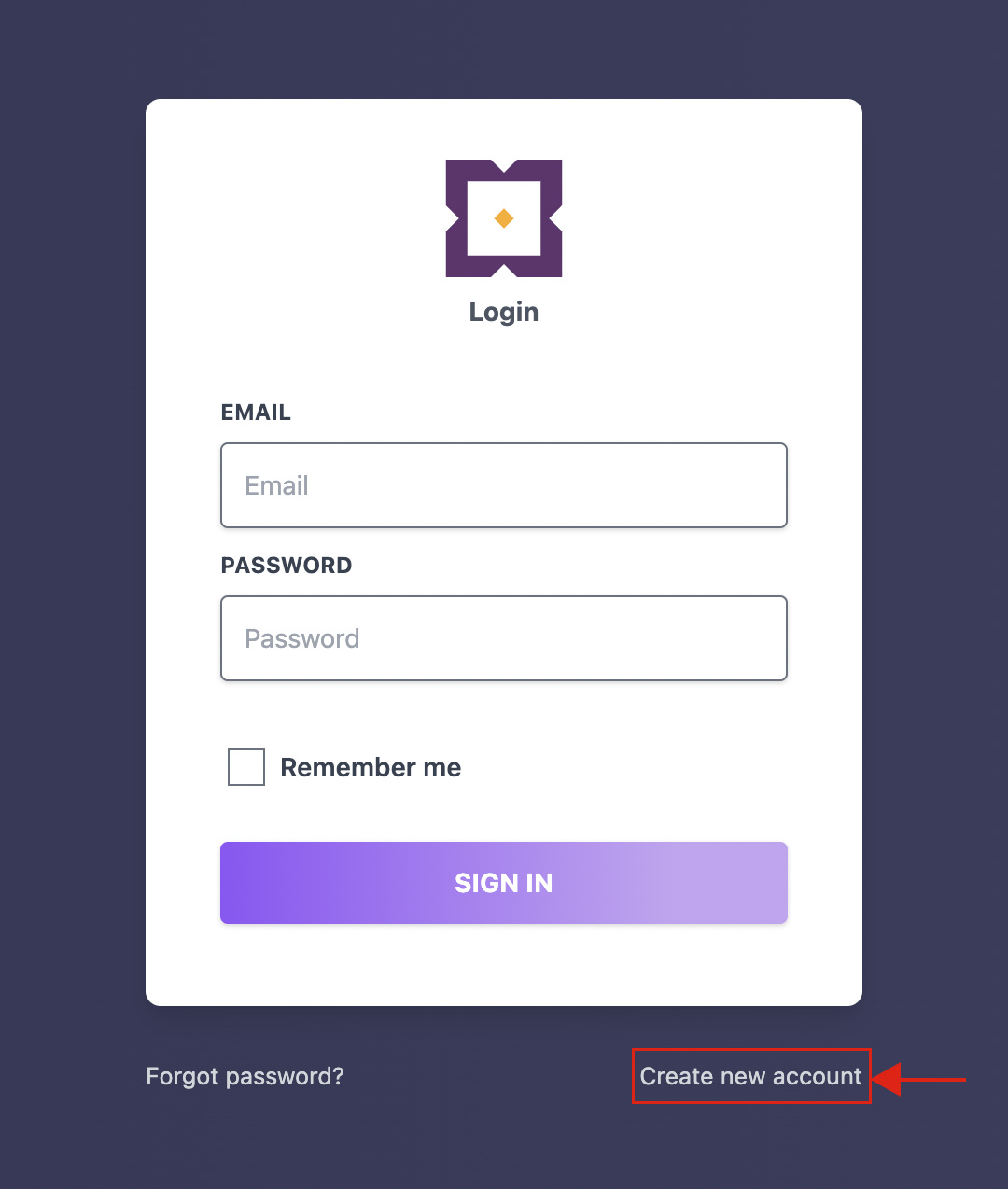
1.คลิกที่ Create new account
Thaidata Cloud

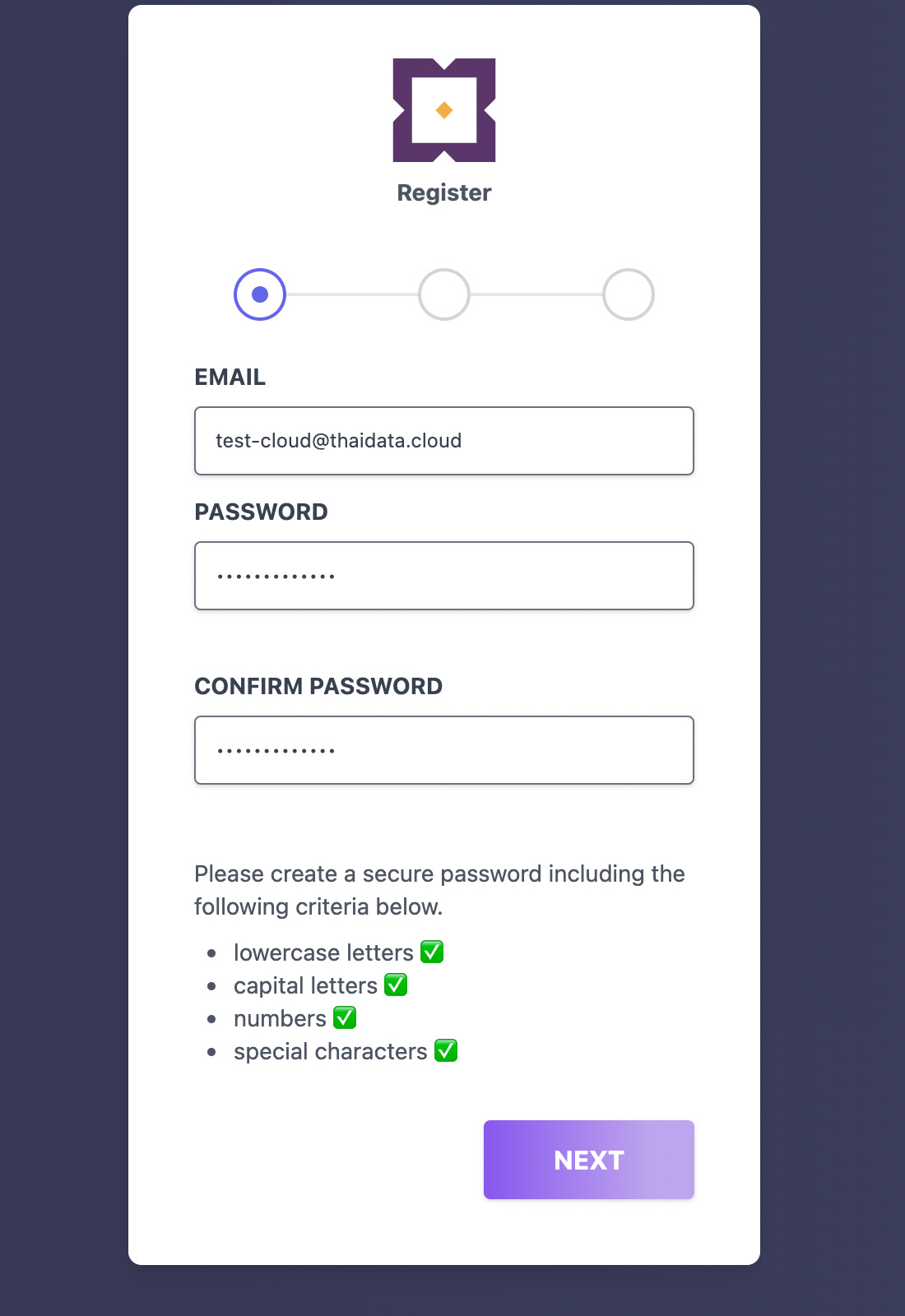
2.กรอก Email ที่ใช้ในการสมัครสมาชิก (โดย Email ที่ใช้ในการสมัครสมาชิกจะต้องไม่มีอยู่ในระบบ) สร้าง Password และ ยืนยัน Password อีกครั้ง และคลิกที่ Next

**หมายเหตุ : ต้องมีตัวอักษรพิมพ์เล็ก อักษรพิมพ์ใหญ่ ตัวเลข และอักขระพิเศษ
Thaidata

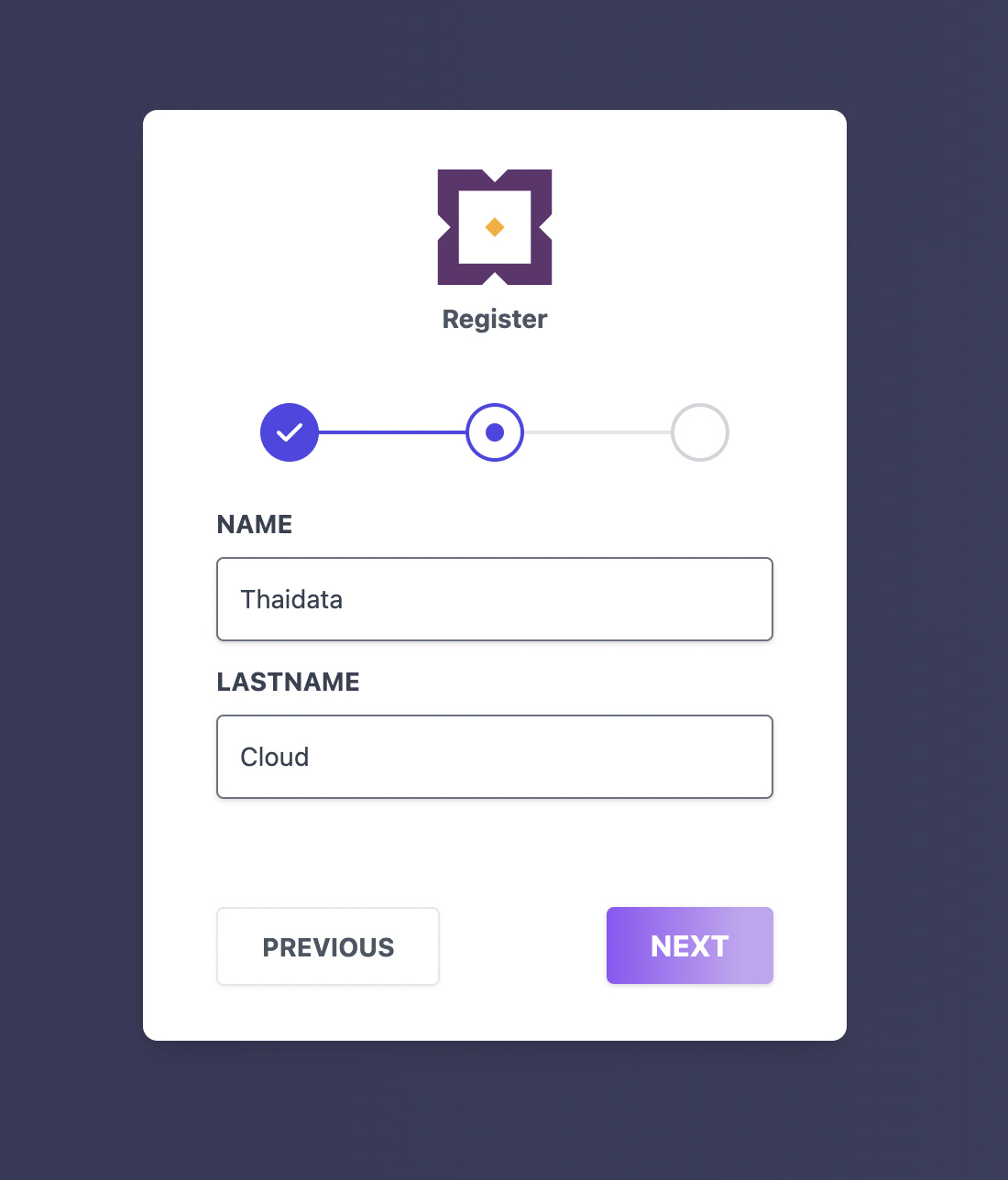
3.กรอกรายละเอียดข้อมูลผู้ใช้งาน โดย Name และ Last name ที่ใช้จะต้องไม่มีอยู่ในระบบ จากนั้นคลิกที่ Next
TDC

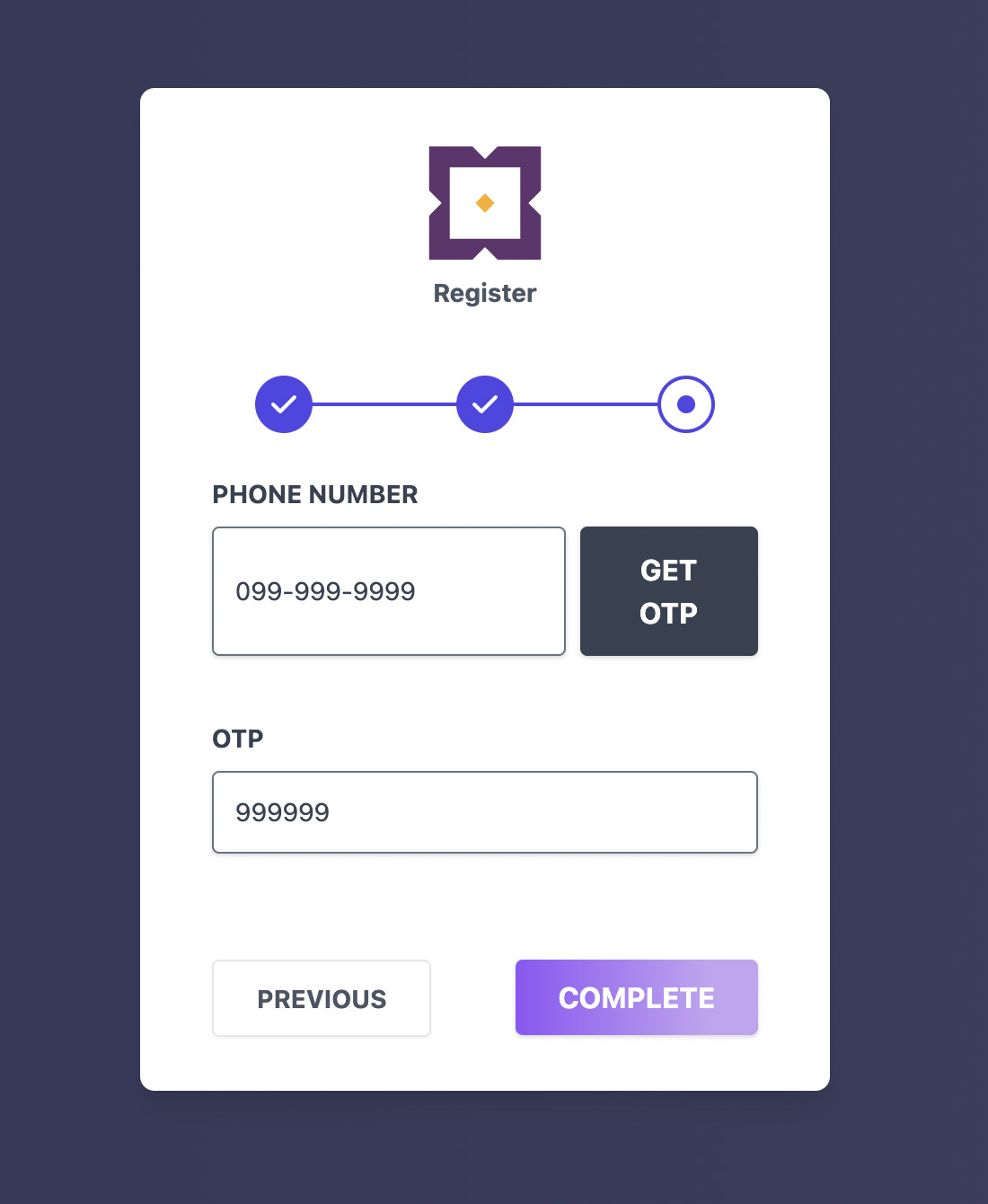
4.กรอก หมายเลขโทรศัพท์มือถือ 10 หลัก จากนั้นกด GET OTP เพื่อให้ระบบส่ง OTP (One Time Password) ในการยืนยัน กรอกรหัส OTP เสร็จแล้วให้ทำการกด Complete เป็นอันเสร็จสิ้นของขั้นตอนการสมัครสมาชิก

**หมายเหตุ : รหัส OTP จะหมดอายุหลังจากครบ 1 นาที
สมัครและเข้าสู่ระบบ

บทความ/ความรู้ ที่น่าสนใจ

ผู้ให้บริการคลาวด์ไทย
เพื่อธุรกิจของคนไทย

"มุ่งมั่น" และ "มั่นคง"
พร้อมรับมือทุกการเติบโต
Trust Cloud
คลาว์ที่ปลอดภัย
คือรากฐานที่มั่นคง
cloud security
Privacy Overview

When you access a website, it has the ability to store or retrieve data on your browser, primarily in the form of cookies. This data could pertain to your preferences, device, or personal information, and is primarily used to optimize the website functionality according to your expectations. While this information typically does not enable direct identification, it does provide a more tailored online experience. As we value your privacy, you are able to selectively decline certain cookie types. Please click on the various category headings to gain more insights and modify our default settings. However, note that preventing certain cookies may impact the level of service and site functionality that we can offer you, please read the full privacy policy